


Error 0x80072efd - Failed to Install

Feb 10, 2026
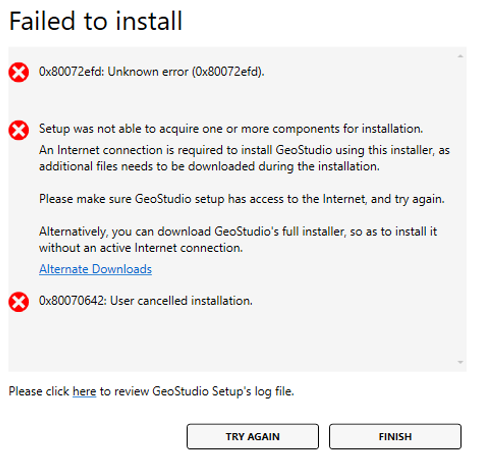
In this article we explain the following error that can occur when running the GeoStudio installer:
Error 0x80072efd: Unknown error...
Cause
- This error can occur when using the GeoStudio partial installer.
- The partial installer is trying to download additional payload components necessary to complete the installation.
- Something on your computer is preventing that from happening. Typical causes are:
- Antivirus software.
- Malware prevention software.
- Firewall rules.
- A problem with your internet connection.
Steps to Resolve
- The recommended resolution is to download the full installer. The full installer does not need to download additional payload components to complete the install.
- If you prefer the partial installer (please note, partial installers are no longer available with GeoStudio 2022.1 and later):
- First try temporarily disabling any antivirus or malware prevention software and try the installer again.
- If continue to receive the error, create an exception rule in your firewall to allow the installer full access to the internet, and try the installer again.
- If you continue to receive the error, try a different internet connection or service provider, and try the installer again.
- If all the above attempts fail, try the full installer.

